王妍洁
35a17dea22
王妍洁
35a17dea22
|
4 months ago | |
|---|---|---|
| .. | ||
| configs | 4 months ago | |
| data | 4 months ago | |
| examples | 4 months ago | |
| README.md | 4 months ago | |
| README_CN.md | 4 months ago | |
| config_loader.py | 4 months ago | |
| finetune_base_model.py | 4 months ago | |
| finetune_tokenizer.py | 4 months ago | |
| train_sequential.py | 4 months ago | |
README.md
Kronos Fine-tuning on Custom CSV Datasets
This module provides a comprehensive pipeline for fine-tuning Kronos models on your own CSV-formatted financial data. It supports both sequential training (tokenizer followed by predictor) and individual component training, with full distributed training capabilities.
1. Data Preparation
Required Data Format
Your CSV file must contain the following columns:
timestamps: DateTime stamps for each data pointopen: Opening pricehigh: Highest pricelow: Lowest priceclose: Closing pricevolume: Trading volumeamount: Trading amount
(volume and amount can be 0 if not available)
Sample Data Format
| timestamps | open | close | high | low | volume | amount |
|---|---|---|---|---|---|---|
| 2019/11/26 9:35 | 182.45215 | 184.45215 | 184.95215 | 182.45215 | 15136000 | 0 |
| 2019/11/26 9:40 | 184.35215 | 183.85215 | 184.55215 | 183.45215 | 4433300 | 0 |
| 2019/11/26 9:45 | 183.85215 | 183.35215 | 183.95215 | 182.95215 | 3070900 | 0 |
Reference: Check
data/HK_ali_09988_kline_5min_all.csvfor a complete example of the proper data format.
2. Config Preparation
Please edit the correct data path & pretrained model path and set your training parameters.
# Data configuration
data:
  data_path: "/path/to/your/data.csv"
  lookback_window: 512        # Historical data points to use
  predict_window: 48           # Future points to predict
  max_context: 512            # Maximum context length

...
There are some other settings here, please see configs/config_ali09988_candle-5min.yaml for more comments.
3. Training
Method 1: Sequential Training (Recommended)
The train_sequential.py script handles the complete training pipeline automatically:
# Complete training (tokenizer + predictor)
python train_sequential.py --config configs/config_ali09988_candle-5min.yaml

# Skip existing models
python train_sequential.py --config configs/config_ali09988_candle-5min.yaml --skip-existing

# Only train tokenizer
python train_sequential.py --config configs/config_ali09988_candle-5min.yaml --skip-basemodel

# Only train predictor
python train_sequential.py --config configs/config_ali09988_candle-5min.yaml --skip-tokenizer
Method 2: Individual Component Training
Train each component separately for more control:
# Step 1: Train tokenizer
python finetune_tokenizer.py --config configs/config_ali09988_candle-5min.yaml

# Step 2: Train predictor (requires fine-tuned tokenizer)
python finetune_base_model.py --config configs/config_ali09988_candle-5min.yaml
DDP Training
For faster training on multiple GPUs:
# Set communication backend (nccl for NVIDIA GPUs, gloo for CPU/mixed)
DIST_BACKEND=nccl \
torchrun --standalone --nproc_per_node=8 train_sequential.py --config configs/config_ali09988_candle-5min.yaml
4. Training Results
The training process generates several outputs:
Model Checkpoints
- Tokenizer: Saved to
{base_save_path}/{exp_name}/tokenizer/best_model/ - Predictor: Saved to
{base_save_path}/{exp_name}/basemodel/best_model/
Training Logs
- Console output: Real-time training progress and metrics
- Log files: Detailed logs saved to
{base_save_path}/logs/ - Validation tracking: Best models are saved based on validation loss
5. Prediction Vis
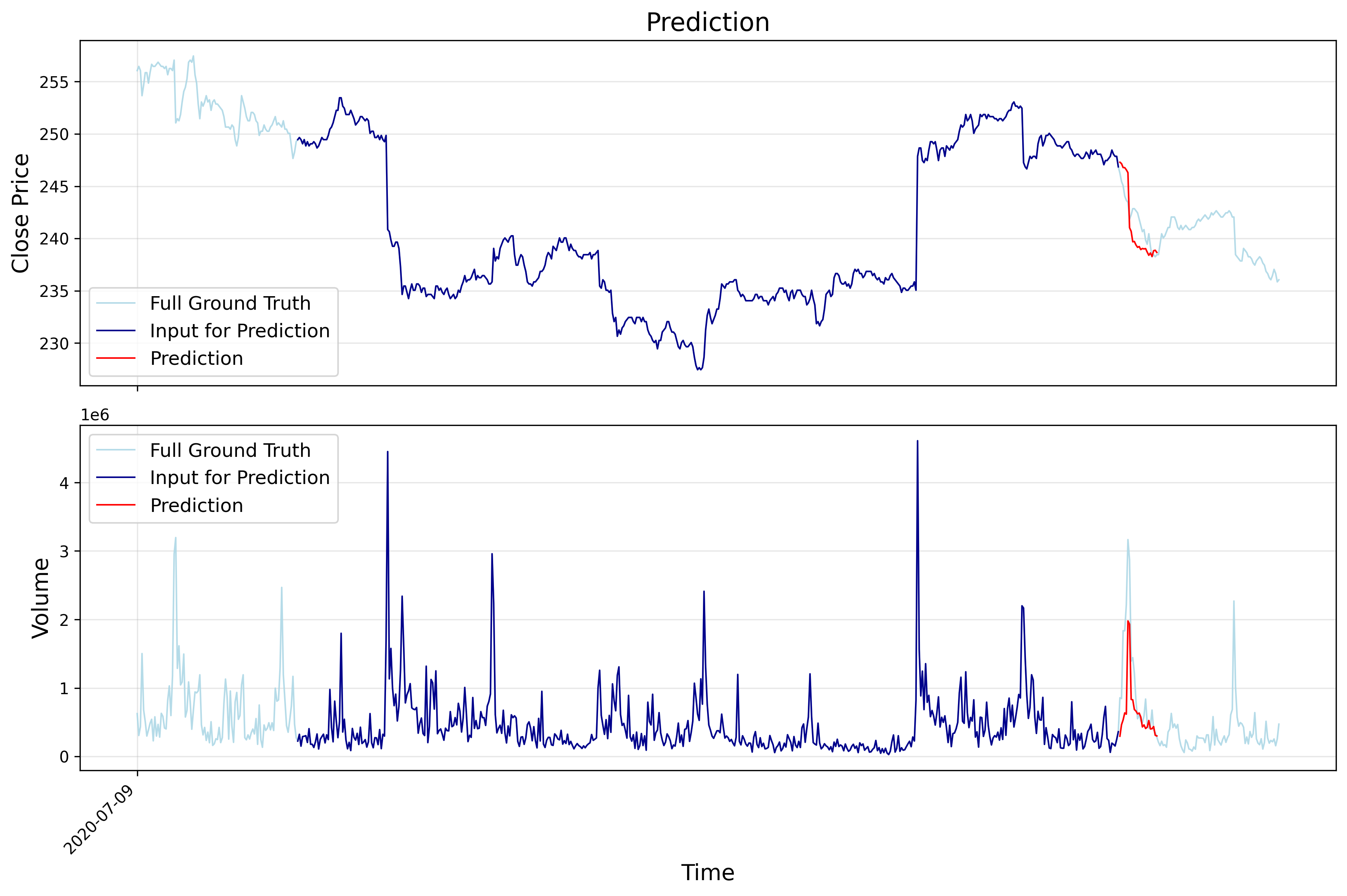
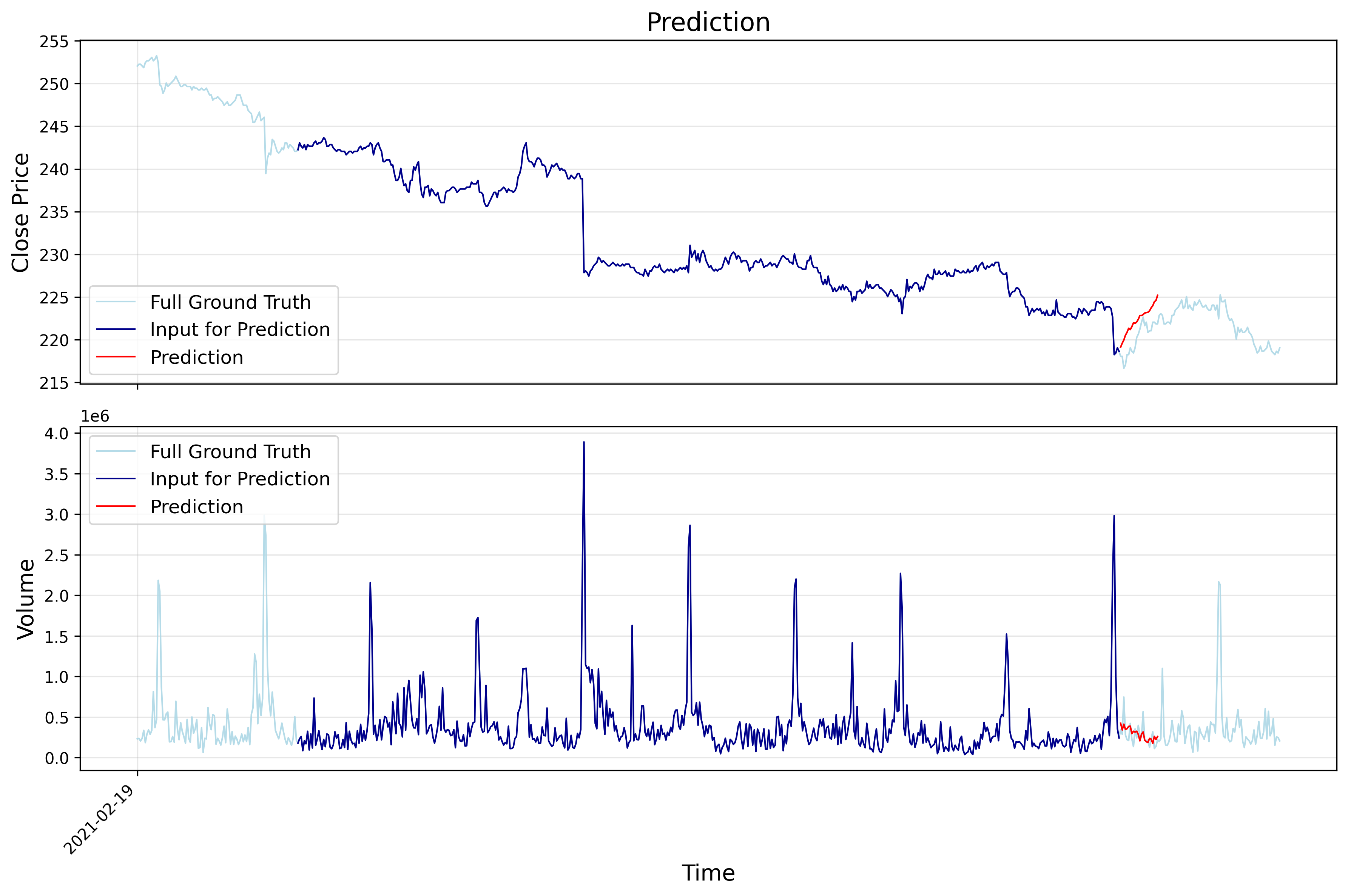
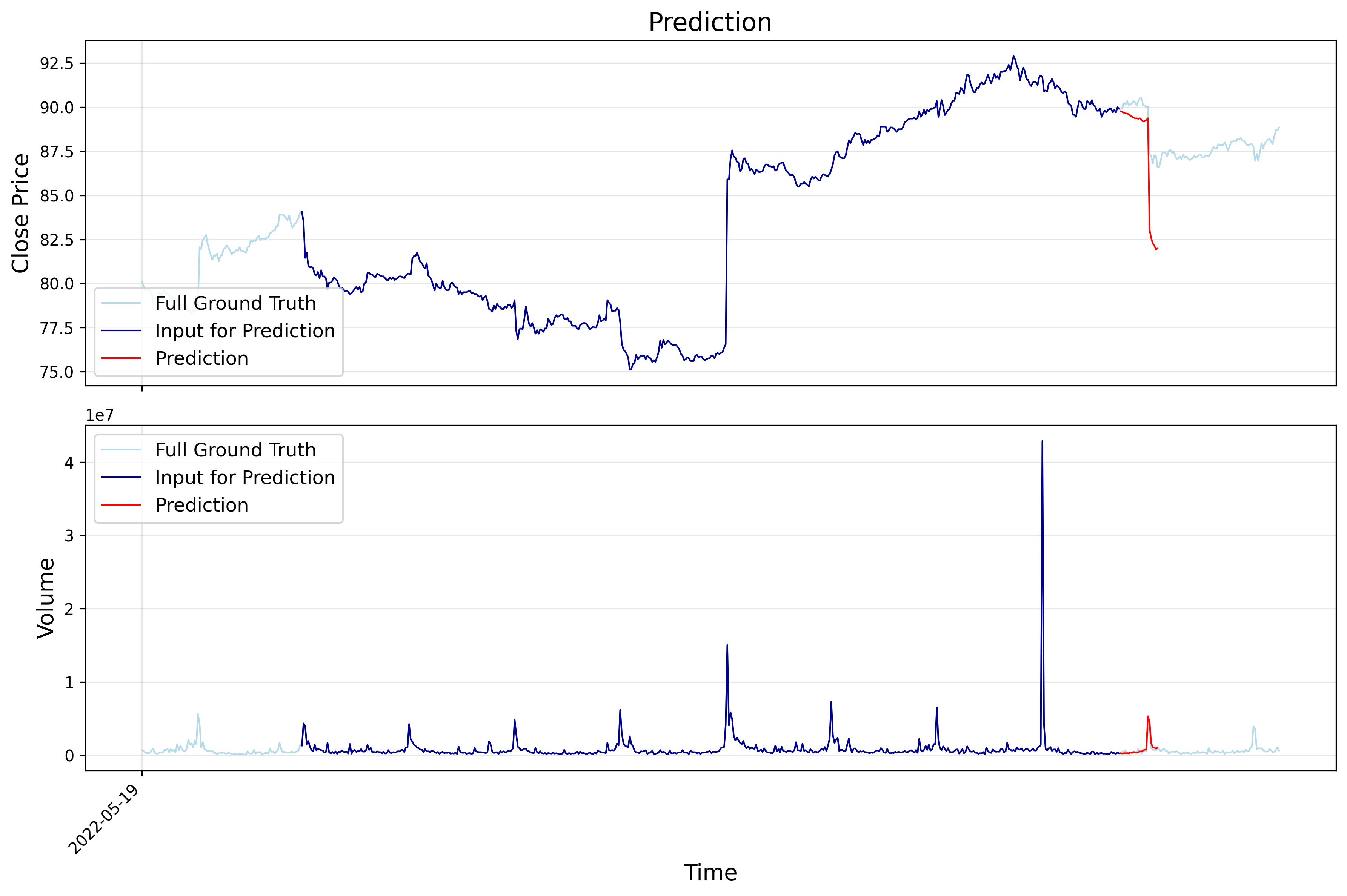
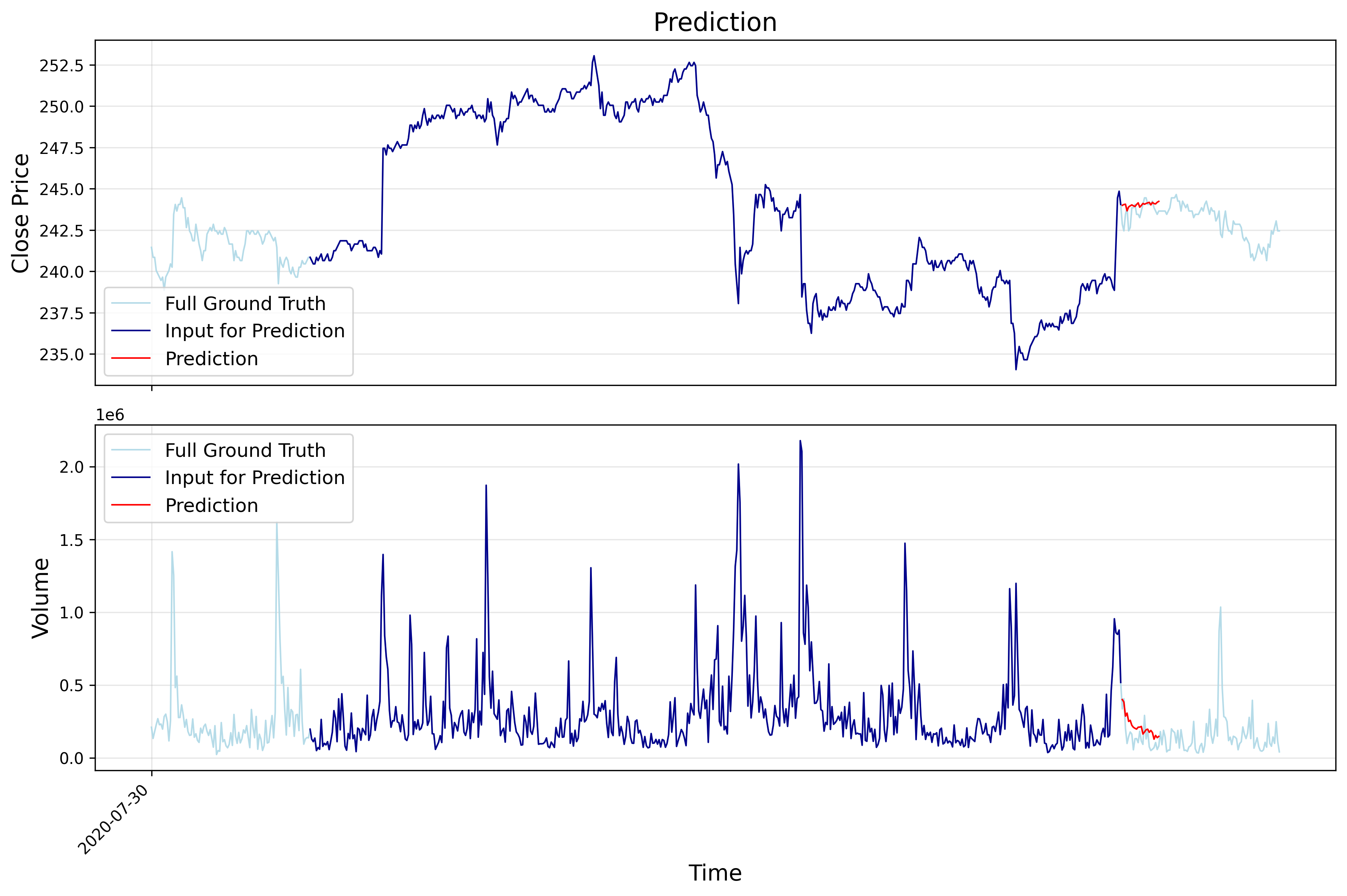
The following images show example training results on alibaba (HK stock) data: